Hiển thị các bài đăng có nhãn D. Hiển thị tất cả bài đăng

Chủ Nhật, 22 tháng 6, 2014

5 Favorite DevOps Memes

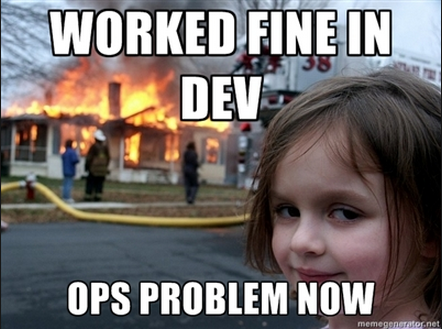
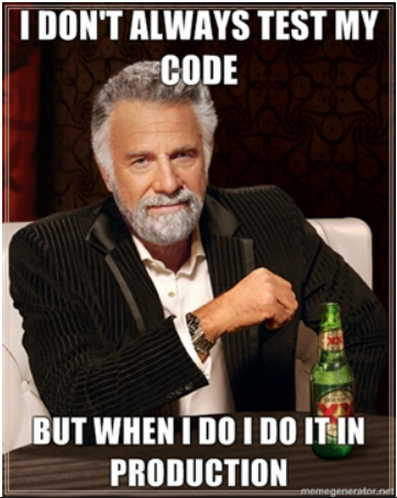
In the DevOps webisphere, there are plenty of blogs, articles, commentary, pundits and ideas floating around to keep you busy until your head explodes. We here at ScriptRock tend to have a somewhat cynical perspective on things because we've spent years trying & failing to 'do DevOps' (by the way.... DevOps is NOT a verb for the good of the order) which is what lead us to creating the company to begin with. Our culture promotes having fun and we try to keep a sense of humor about stuff. We all know that a picture is worth a thousand words, so here are our top 5 favorite internet memes related to DevOps.

DevOps meme - worked fine in Development


Screen_Shot_2014-05-02_at_1.58.39_PM


DevOps meme - automation


DevOps meme - you went full DevOps


DevOps meme - say DevOps one more time


Original :scriptrock.com

Thứ Ba, 10 tháng 6, 2014

10 of the most useful cloud databases

IDC predicts that big data is growing at an annual rate of 60% for structured and unstructured data. Businesses need to do something with all that data, and traditionally databases have been the answer. With cloud technology, providers are rolling out more ways to host those databases in the public cloud, freeing users from dedicating their own dedicated hardware to these databases, while providing the ability to scale the databases into large capacities. "This is a really huge market given all the data out there," says Jeff Kelly, a big data expert at research firm Wikibon. "The cloud is going to be the destination for a lot of this big data moving forward."

Some concerns remain for what some call database as a service (DBaaS), specifically around sensitive information being stored in the cloud and around cloud outages. But still, an emerging market of cloud database services and tools seems to be picking up steam. Here, Network World looks at 10 cloud database tools. Some of these are providers of direct relational, SQL or NoSQL databases, while others are niche focused on various open source databases. Please note this list is not meant to be exhaustive, as some big players, like Oracle, HP and EMC/VMware are still rounding out their cloud-based products and strategies for these tools.

Amazon Web Services

Amazon Web Services has a variety of cloud-based database services, including both relational and NoSQL databases. Amazon Relational Database (RDS) run either MySQL, Oracle or SQL Server instances, while Amazon SimpleDB is a schema-less database meant for smaller workloads. On the NoSQL side, Amazon DynamoDB is its solid-state drive (SSD)-backed database that automatically replicates workloads across at least three availability zones. AWS CTO Werner Vogels says DynamoDB is AWS's fastest growing service in AWS history. Amazon also offers a variety of auxiliary data management services, such as its newly announced data warehouse named Redshift, as well as Data Pipeline, which helps users integrate data from multiple sources for easier management.

More information: Amazon Web Services' databases

EnterpriseDB

EnterpriseDB focuses on the open source PostgreSQL databases, but its real claim to fame is its ability to work with Oracle database applications. With EnterpriseDB's Postgres Plus Advanced Server, organizations can use applications written for on-premise Oracle databases through EnterpriseDB, which runs in clouds from Amazon Web Services and HP. It has binary replication and scheduled backups as well.

More information: EnterpriseDB

Garantia Data

Garantia offers a gateway service for users to run open source Redis and Memcached in-memory NoSQL databases services in AWS's public cloud. Using Garantia's software allows for automatic configuration of these open source data platforms by helping developers scale nodes, create clusters and architect for fault tolerance.

More information: Garantia Data

Google Cloud SQL

Google's cloud database service is centered on two major products: Google Cloud SQL, which Google describes as a MySQL-like fully relational database infrastructure, and Google BigQuery, an analysis tool for running queries on large data sets stored in its cloud.

More information: Google cloud databases

Microsoft Azure

Microsoft uses its SQL Server technology to provide a relational database, allowing customers to either access a SQL database on its cloud, or hosted SQL server instances on virtual machines. Microsoft also emphasizes hybrid databases that combine data both on a customer's premise and with the Azure cloud through SQL Data Sync. Microsoft has a cloud-hosted NoSQL database service named Tables as well, while Blobs (binary large object storage), are optimized for media files such as audio and video.

More information: Microsoft Azure

MongoLab

In the NoSQL world, there are a variety of database platforms to choose from, including MongoDB. MongoLab gives users access to MongoDB on a variety of major cloud providers, including AWS, Azure and Joyent. Like other gateway-type services, MongoLab also integrates with various platform as a service (PaaS) tools at the application tier. MongoLab run on either shared or dedicated environments, with the latter being slightly more expensive.

More information: MongoLab

Rackspace

Rackspace's database comes in either a cloud or managed hosted offering via Cloud Databases, which is the name of its product. Rackspace emphasizes the container-basedvirtualization of its Cloud Databases, which it says allow for higher performance of the database service compared to if it was run entirely on virtualized infrastructure. Cloud Databases also incorporates a SAN storage network and it's based on an OpenStack platform. This month, Rackspace announced a NoSQL database in its cloud from provider Cloudant.

More information: Rackspace Cloud Databases

SAP

Enterprise software giant SAP is now playing in the cloud with HANA, a platform built on in-memory technology. Its cloud database from HANA complements the company's other on-premise database tools, including Sybase, and is available in Amazon Web Services' cloud. HANA includes other non-database apps too, including business management tools and application development.

More information: SAP HANA

StormDB

Unlike other databases in the cloud, StormDB runs its fully distributed, relational database on bare-metal servers, meaning there is no virtualization of machines. StormDB officials claim this leads to better performance and easier management because users do not have to choose the size of virtual machine instances their database runs on. Despite running on bare metal, customers do share clusters of servers, although StormDB promises there is isolation among customer databases. StormDB also automatically shards databases in its cloud. The company is currently in a free beta.

More information: StormDB

Xeround

Xeround (pronounced zeh-round) is a management tool for deploying easily scalable MySQL databases across a variety of cloud providers and platforms. Its software allows for high availability and scalability and it works across a variety of cloud providers including AWS, Rackspace, Joyent and HP, as well as on OpenStack and Citrix platforms.

More information: Xeround

Original : networkworld.com

Thứ Tư, 21 tháng 5, 2014

How to optimize your app’s layout on iOS 7

Whilst there is not necessarily a right way and a wrong way to design your app’s layout, there are some tricks you can use to make sure that the user experience is as optimal as possible.

Ample Space for Controls

We all know that smartphone screens are small, and iPhones are consistently on the lower end of the screen-size spectrum.

To optimize your app’s layout for iOS 7, try to make sure that your main, controllable elements are at least 44×44 points. This way, users will have no trouble performing basic tasks with one finger or one hand while they are on the go.

Draw User Focus to Main Elements

There are two simple ways to draw the user’s attention to the main elements of your app.

1) Place important items in the upper-left of the screen (i.e. the menu) , with less important items going in the bottom-right (i.e. terms & conditions, privacy policies)

2) Make important items larger than less-important items, since larger items tend to draw the eye more easily. Larger items are also easier to access on a touchscreen, so users can perform the most essential tasks quickly and easily

Communicate Groupings

ads

Effectively communicating which elements of your app go together can a make-or-break factor of your app’s layout. This can also be done in two ways:

1) Use alignment and indentation to organize your content and make it easier for users to discern which groups of content are related. For example, align any images or graphics with the text that they compliment. This is a cue to the reader that the picture is meant to associated with that text.

2) Consistent UI elements will also help users understand which elements belong together. A general rule of thumb is that elements that perform similar functions should also look similar. Any design inconsistencies could confuse the user and make them waste unnecessary time trying to figure things out.

Text Size

On the iPhone, users have the option of changing their default text-size setting across their device. While this is sometimes done for aesthetic reasons, many users actually use this feature due to visual impairments that make small text hard to read. If a user changes their default settings, they will expect your app to adhere to those settings as well.

For iOS 7, developers should consider adopting Dynamic Type, which will automatically adjust line spacing, line height, delineate between text types (heading, body, footer, etc…), and resize any text-size changes requested by the user.

Developers should also consider using a single font type throughout their app. This way, it will be easier for you to ensure that the font will render correctly at all different text sizes.

You should also consider making your app responsive to changes in text-size. For example, if you have a two-column, text-based app, you can make your layout shift to one column for any text-size larger than the default 17 points.

For more iOS 7 layout tips, visit Apple’s Developer Library!


Preference : developer-tech.com

Thứ Tư, 7 tháng 5, 2014

See, always told you: testing is just a waste of time

Automated testing has become something people don't speak about any more. It matured to being a standard in software development, everyone is and should be practicing. No more talks at conferences, only a few blog posts and online articles from now and then. That radically changed recently, again becoming a hotly debated topic, at least after some of @dhh's quite provocative posts and his RailsConf keynote.


I learned about automated testing, particularly unit testing, during my Bachelor studies at university. It was kind of awkward, initially, and we definitely wrote tests to fulfill the submission criteria of our lab projects. After years of practicing, more experience, a dozen of read articles, books, blog posts, I really started to love it. Especially after I felt the pain of having to refactor the codebase without any kind of regression tests in place: you cannot move, you want, but you cannot! A total nightmare, just blindly changing the code, hoping for the best. Stop doing this.


Today I mostly always write automated tests because


  • I got used to it


  • it makes me develop faster


  • it gives me the freedom to improve later; making it possible to quickly code, even a sub-optimal implementation now, because I know I'll be able to change, refactor and optimize it laster more easily


  • ...


Even when coding some quick experiments, I create some automated tests that proof my assumptions. Overkill? I don't think so. There are so many nice tools in place which execute your tests right after you save/compile your code. Would I be faster by writing and executing console.logstatements after each change? Hardly...


Whenever you are tempted to type something into a print statement or a debugger expression, write it as a test instead. Martin Fowler


I simply love the fast feedback I get by looking at the test run indicator while coding, without having to move my fingers from the keyboard to click through some UI for verifying that my code (still) works. Moreover, I build a regression suite: each additional tests I add gets executed after each modification to my code. I'm basically testing all of the scenarios (my and those potentially implemented by my collegues) from the beginning of my coding up to where I currently am, in milliseconds. Can you do the same with the debugger or console.log?? ;)


When I code JavaScript, I write automated tests! Of course, I don't even have a compiler there, everything happens/breaks at runtime. It's even more important than in statically typed, compiled languages. So, hell yes, I do create automated tests that are executed by Jenkins when I commit my feature to make sure I didn't break anything else.


Do I do TDD?


Hmm..I follow a test-first approach, I'd say, and I try to have a cycle like


  1. Implement the test


  2. See it fail


  3. Write code


  4. See test pass


  5. (...)


Admittedly it often slightly distorts to a "implement production code, gosh..this is going to be complicated..need a test, then comment production code out, write test, see it fail, then uncomment the code, see it still fail (?!), write some more production code, see it succeed" kind of workflow. But that's normal I guess.


What about Test Driven Design? You mean to let my architecture evolve blindly by the magic of TDD? Didn't succeed on that (I'd require a mentor here in case someone is interested ;)). I usually think about the architecture or a possible implementation of a feature already before I write the first line of code. This happens automatically. Do the tests influence/change/adapt that initially design during the implementation? Most often, yes. Furthermore, based on the gained experiences in writing lots of tests, my architecture evolved over the years to facilitate testing out of the box.


For me, the important thing to have is automation and fast feedback (which implies having automation in place). Then, I write all kind of tests, depending which on my needs. Automated JMeter tests that call my REST api after each deploy, integration tests going down starting from my frontend controller through the dependency injection framework, the business layer, data access till down to the DB. Unit tests on the other side for reusable components, for critical code, for situations where I wouldn't want to setup data in the DB to test a particular use case and where it's much easier and faster to simply provide some stubs.


The debate: Most unit testing is a waste


The testing debate started with a quite provocative article entitled "Why Most Unit Testing is Waste". In a 19 pages article James O Coplien outlines some issues he encountered while writing unit tests.


If you have the time, absolutely read it, but read the entire article and don't just draw (wrong) conclusions from the headline! Alternatively, Rodolfo Grave created a nice summary on his blog.


Coplien's résumé:


  • Keep regression tests around for up to a year — but most of those will be system-level tests rather than unit tests.


  • Keep unit tests that test key algorithms for which there is a broad, formal, independent oracle of correctness, and for which there is ascribable business value.


  • Except for the preceding case, if X has business value and you can test X with either a system test or a unit test, use a system test — context is everything.


  • Design a test with more care than you design the code.


  • Turn most unit tests into assertions.


  • Throw away tests that haven’t failed in a year.


  • Testing can’t replace good development: a high test failure rate suggests you should shorten development intervals, perhaps radically, and make sure your architecture and design regimens have teeth


  • If you find that individual functions being tested are trivial, double-check the way you incentivize developers’ performance. Rewarding coverage or other meaningless metrics can lead to rapid architecture decay.


  • Be humble about what tests can achieve. Tests don’t improve quality: developers do.


As already Rodolfo comments, other than the "throw tests away", I fully agree. IMHO, this article is written by a person who mastered writing automated tests.


A bit later, David Heinemeier Hansson (@dhh), creator of Ruby on Rails and founder & CTO ofBasecamp, entered the debate with his TDD is dead articles:


..followed by lots of discussions on HackerNews here and here and various ones on Twitter between Martin Fowler, Heinemeier, Uncle Bob Martin and Kent Beck.


Numerous blog posts and articles emerged from these dicussions. Here are some I was able to capture


Someone even started a #WhyITDD hashtag on Twitter.


To conclude: It seems to me that using good design principles that make your tests run faster is a noble goal. It also seems to me that decoupling from frameworks such as Rails, as your applications grow, is a wise action. I believe these things to be evidence that professionals, like Jim Weirich, are at work. Uncle Bob


See, always told you...


If you ever tried to convince/coach people in writing automated tests, then you know how damn hard it is. Personally I think it's nearly impossible. You can only give an initial hint on some techniques and then each dev needs to practice and experience it by himself. It's something that has quite a steep learning curve.


The main problem (I'm quite sick to hear about...) is that devs take those articles mentioned previously as a proof they were correct in not writing any tests in the past and future. This is total non-sense! If you read beyond the headline, none of them questions the creation of automated tests but rather


  • the TDD approach


  • unit tests vs. integration tests vs acceptance tests etc...


Make sure you understand what automated testing is about, what unit tests are, what TDD is all about etc. Fowler's collection of articles might be a good starting point.


Thoughtworks event: "Is TDD dead?"


Martin Fowler announced yesterday that ThoughtWorks will be hosting a debate between himself, Kent Beck and David Heinemeier Hansson about whether TDD is dead. You should absolutely participate at this hangout or watch the recorded session afterwards.


Source : java.dzone.com